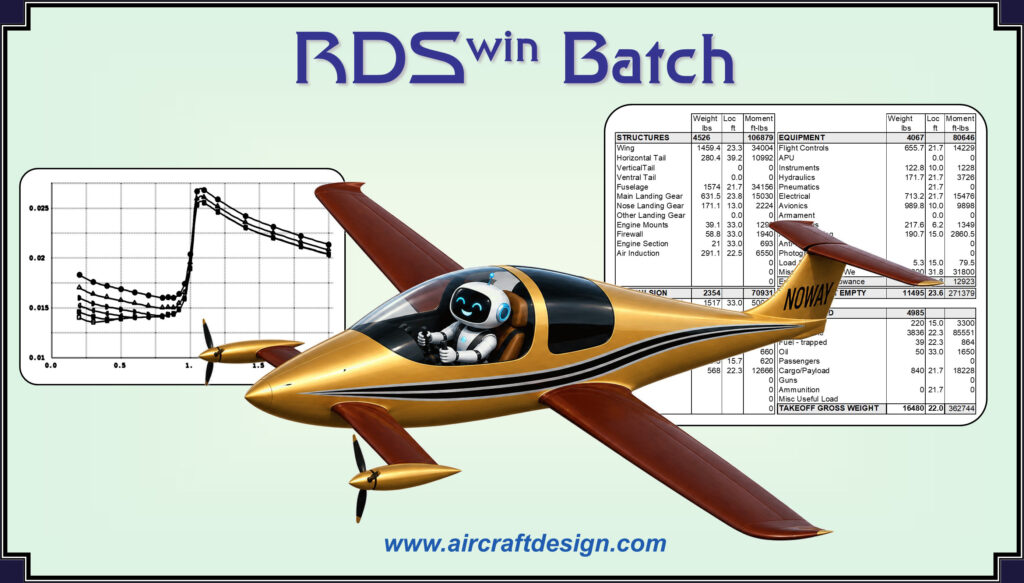
– the stand-alone version of the proven RDSwin aircraft analysis routines
The time-honored classical analysis routines of the RDSwin aircraft design software have now been implemented into a callable batch program. You can run this separately, or integrate it into your own favorite optimization framework. The batch routines include functional analysis of aerodynamics, weights, and propulsion (jet or prop). Batch routines also include performance analysis: aircraft sizing, range/loiter calculation, takeoff/BFL, landing, climb, acceleration, turn, Ps, and more.
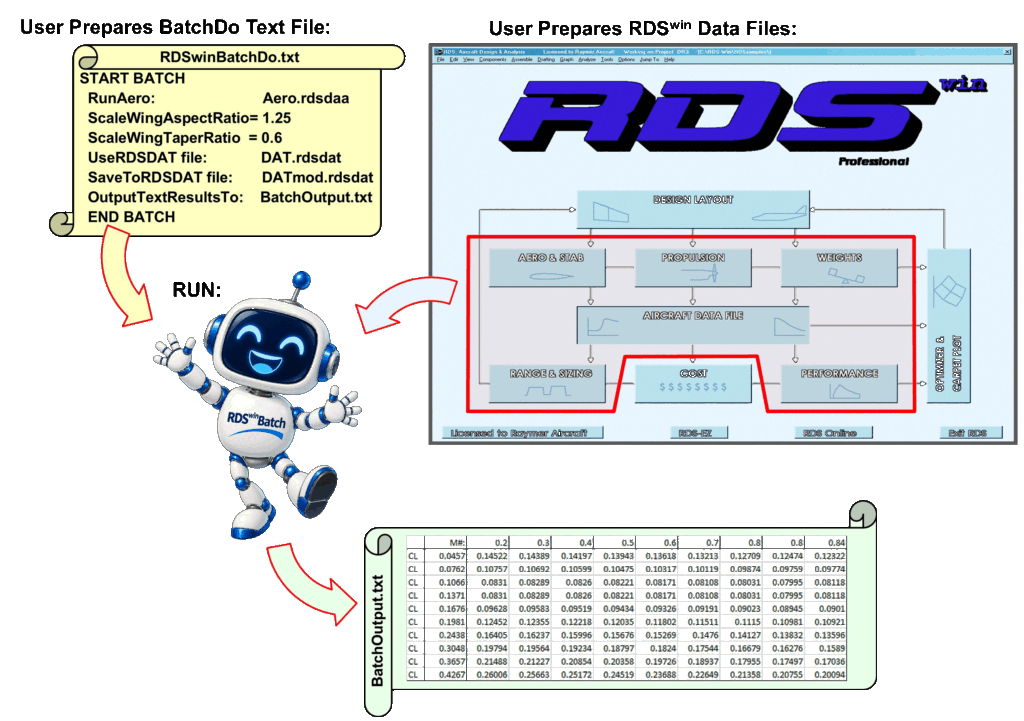
RDSwin-Batch allows directly setting and scaling the RDSwin input values, as you would normally do from the RDSwin interactive input grids and menus. This makes it easy to set up and run trade studies, faster than lightning!
RDSwin-Batch execution is controlled by a user-created text file with simple instructions such as RunAero and ScaleWingAspectRatio. This ‘BatchDo’ text file can be revised by you or your optimization framework prior to running RDSwin-Batch. Results are saved to text files and RDSwin input grid files, and can be immediately accessed. You can repeatedly call RDSwin-Batch, or use the NextBatch command to set up multiple executions within one call.
There are about 30 available “BatchDo” commands. They’re obvious and easy to use. They define the analysis to be performed (Run…), the RDSwin data files to use (UseRDS…File), and the file names for saving results (SaveTo…File and OutputTextResultsTo). Other commands allow setting and scaling input values (Scale…, Set…, and Poke…).
A typical BatchDo command text file looks like this:
START BATCH:
RunAero: bobsbigplane.rdsdaa
ScaleWingAspectRatio=1.25
UseRDSDATfile: bobsbigplane.rdsdat
SaveToRDSDATfile: bobsbigplaneRev7.rdsdat
OutputTextResultsTo: bobsbigplaneaeroRev7.txt
END BATCH:
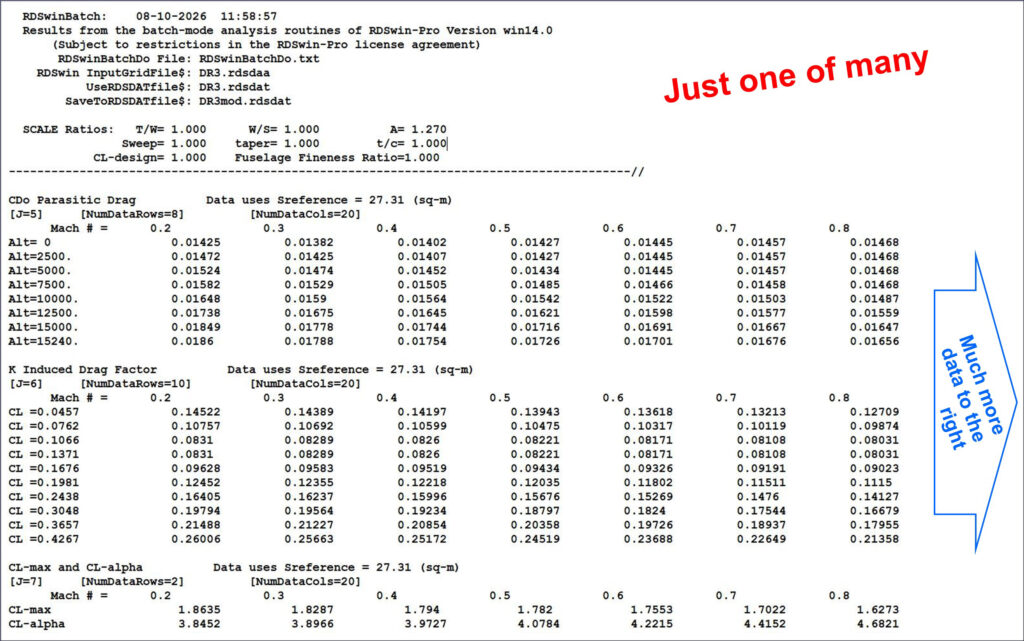
The RDSwin-Batch output is a large text file with the same results as seen with interactive RDSwin-Pro. In the sample above, the output will be several large tables of parasitic drag (CD0), induced drag factor K, CL-max, and CL-alpha for different velocities, altitudes, and lift coefficients as appropriate. A tiny portion of the full Cdo table is shown below:
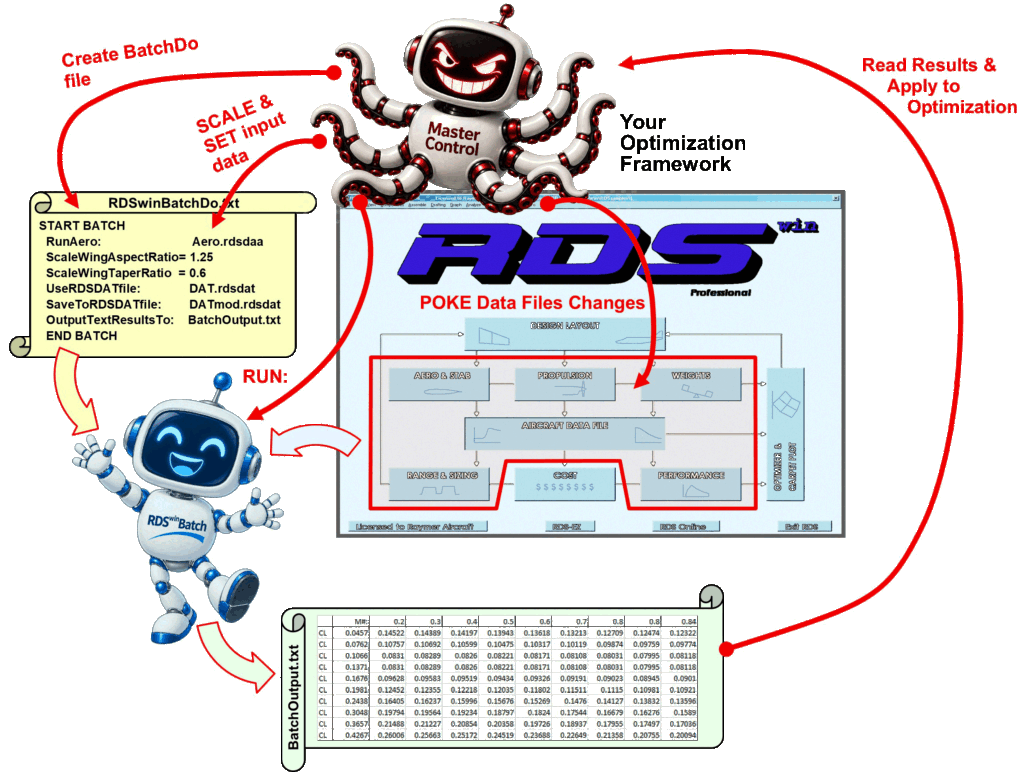
RDSwin-Batch execution can be commanded by your optimization framework. This can use Set, Scale, and Poke commands to implement parametric trade studies. Then your optimization framework can open the text files output by RDSwin-Batch, and set the next parametric values needed to converge to an optimization result. Literally any input parameter used by RDSwin can be varied for optimization, using the Poke command. The usual parameters such as wing aspect ratio and sweep have special commands (Set and Scale) to make it even easier.
When finished, RDSwin-Batch can save its modified RDSwin input files to be opened in your copy of RDSwin-Pro for whatever further work you wish to do.
Click here for the RDSwin-Batch introduction presentation.
RDSwin-Batch requires that you first use your copy of RDSwin-Pro to develop the baseline input routines, so you must have RDSwin-Pro to use the Batch version.
RDSwin-Batch is priced at $6,800. This is reduced to $4,800 when purchased along with a new or additional license of RDSwin-Pro.
Contact Aircraft Design Research LLC for further details and purchase instructions.
Please note that if this software is licensed for use by or on behalf of a unit or agency of the United States Government, the license agreement still applies in full. RDSwin was developed without government funds at private expense and in all respects is proprietary data copyrighted solely to Daniel P. Raymer.